MODULE 15 – Democharge Tutorial

Download this Module [24MB]

Introduction

Democharge is an essential software tool for creating animated demos that are used in web content.

DemoCharge instantly creates demos based on your actions in its own format and includes all visible movements of the mouse. Then one can expert the screencast into Flash animation or popular video format of .avi. This tutorial does not require any technical experience and enables anybody to create high-impact animated demos in minutes.

MODULE 15 Democharge Tutorial contains a succint tutorial document that explains step by step how to create video tutorials using DemoCharge.

Features

  • MODULE 15 Democharge Tutorial will support issues by retracing your actions and captures precise steps with an animation that clearly shows the steps leading to the problem.
  • With this tutorial you can quickly create office demos and provide answers about Word, Excel, and other common applications.
  • Add excitement to your personal Web site with dynamic content.
  • MODULE 15 Democharge Tutorial will guide you in creating animated demos that concentrate on key features and stimulate your tasks.
  • You can create animated documents and tutorials that help users to get started with their application in a simple way.
  • With the help of this module you can express your vision and share software ideas in quick demos.

Download this Module [24MB]

Dr. Gürdal Ertek @ Social Web:

Dr. Gürdal Ertek @ TwitterDr. Gürdal Ertek @ LinkedIn

Tagged :

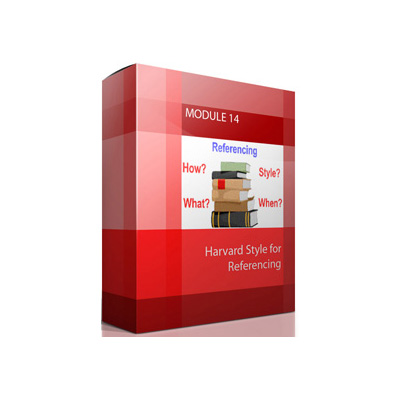
MODULE 14 – Harvard Style for Referencing

Download this Module [1MB]

Introduction: Appropriate Referencing is an important component of academic writing and lets you acknowledge the ideas of others and avoid plagiarism. Referencing demonstrates that you have read relevant background literature and it provides you authority for statements to make your assignments. The citation style of Harvard varies in minor features like punctuation, capitalization, abbreviations, and the use of italics.

Why should you use reference?

References enhance your writing and assist your reader by showing the breadth of your research and strengthening your academic argument. It shows the reader the source of your information and allows the reader to consult your sources independently. Whenever you use someone else’s theories, ideas, or findings, you must use references and need to reference information from books, articles, videos, and computers, other print or electronic sources, and personal communications.  A reference is required if you quote, use figures, tables or structure, paraphrase and use a brief account of someone else’s ideas. This module will explain all the information that you require for Harvard-style referencing, through a multitude  of documents retrieved from the Internet.

Download this Module [1MB]

Dr. Gürdal Ertek @ Social Web:

Dr. Gürdal Ertek @ TwitterDr. Gürdal Ertek @ LinkedIn

Tagged :

MODULE 12 – Creating Good Presentations – Tutorials

Download this Module [35MB]

Introduction

Creating presentations is becoming more common for teaching, seminars and other functions.

MODULE 12 Creating Good Presentationshelps in making effective presentations that can be prepared with little effort and maximum effectiveness. The contents of this module are as follows:

  • Presentations on how to create good presentations
  • Good presentation examples
  • Links to photo banks
  • How to make awesome diagrams for presentations

A presentation can contain text, graphics, audio, video, and links to other programs. While making a presentation it is important to emphasis the important information with bold or italic.

Features:

At the completion of MODULE 12 Creating Good Presentations you will be able to understand the concept of any subject through slide presentation and show awareness regarding your business. With this module you can create successful and portable presentations. This module will identify various ways of creating a good a structure for delivering a coherent presentation.

Why use MODULE 12 Creating Good Presentations?

Creating presentation allows you to place objects freely wherever you like. With this module you can simply create powerful presentation and give an easy way to your audience for understanding your business services. A typical presentation will include the following slides.

  • Title Slide
  • Overview Slide
  • Conclusions Slide
  • End Slide

In this MODULE 12 Creating Good Presentations, we have developed tutorials that can improve your presentation skills and discussed what makes a ‘good’ presentation!

Download this Module [35MB]

Also check out the following books on creating and delivering presentations:


Dr. Gürdal Ertek @ Social Web:

Dr. Gürdal Ertek @ TwitterDr. Gürdal Ertek @ LinkedIn

Tagged :

MODULE 11 – Google Scholar Search Examples

Download this Module [1MB]

Introduction

MODULE 11 Google Scholar Search Examples offers information on Google Scholar that is a freely accessible web search engine for indexing the complete text of scholarly literature in different publishing formats.

Features and specifications

Scholar Google allows users to search for digital copies of articles whether online or in libraries. It indexes technical reports and other documents. It provides access to abstracts of articles that have cited the article being viewed and presents a list of closely related articles, ranked primarily by how similar these articles are to the original result.

Download this Module [1MB]

Dr. Gürdal Ertek @ Social Web:

Dr. Gürdal Ertek @ TwitterDr. Gürdal Ertek @ LinkedIn

Tagged :